This autumn release of 3dpredict/Ab focuses on analysing results across jobs, giving power users more control over how jobs are submitted in their organisation, and extending the REST API.
1: Results across jobs & Projects
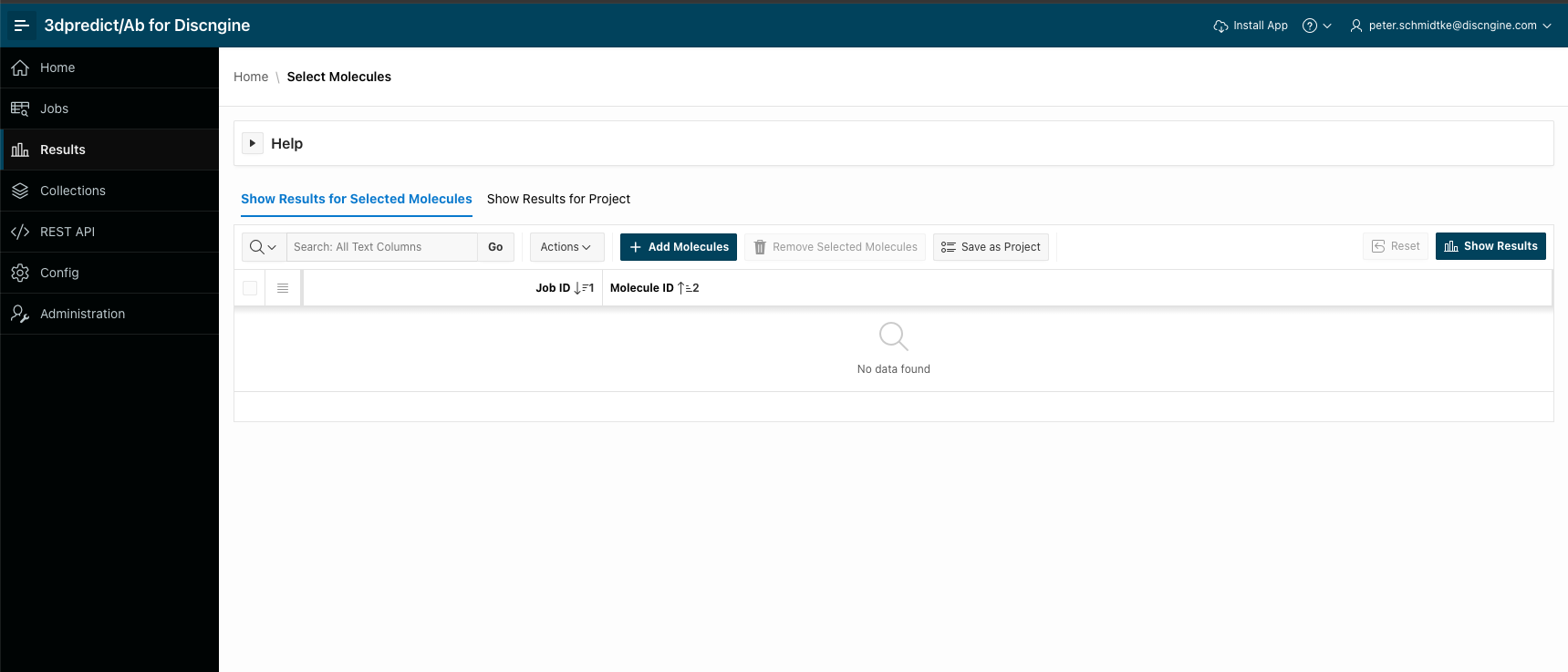
Until now the results page showed the molecules of a single job. You can now analyse molecules from several jobs together in one results page. Click the Results icon on the left navigation bar to open the Select Molecules page.
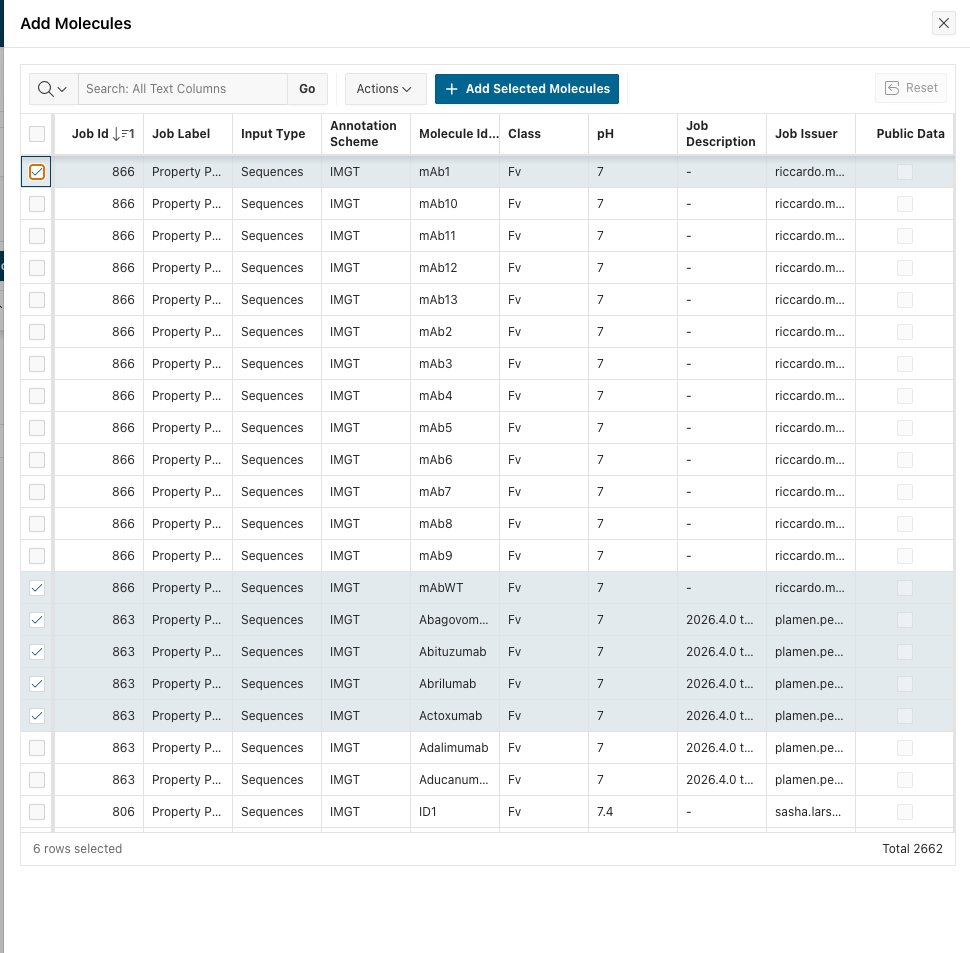
Click Add Molecules to list the molecules of all your jobs, tick the ones you want to compare, even if they come from different jobs, and click Add Selected Molecules.
Then click Show Results to analyse them all together in one results page.
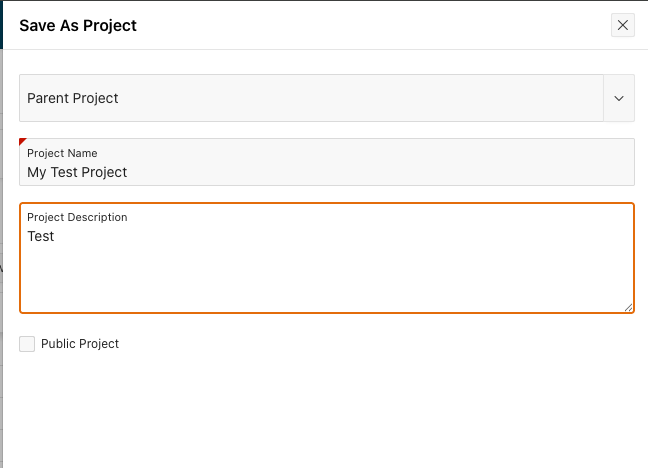
Once you have a set of molecules you want to come back to, click Save as Project to keep it. Projects can be organised in a hierarchy by choosing a parent project. Tick Public Project to share it with all users of your organisation, or leave it unticked to keep it private.
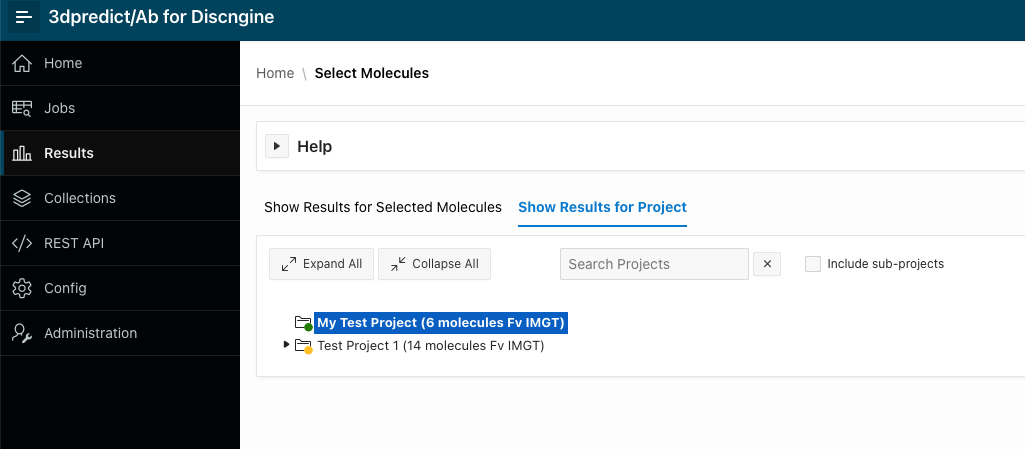
Your projects are listed in the Show Results for Project tab, with the number of molecules they contain. Select a project to show its results, and tick Include sub-projects to add the molecules of all of its sub-projects as well.
You can also assign your molecules to one or more projects directly when you submit a job.
2: Confidence intervals on residue plots
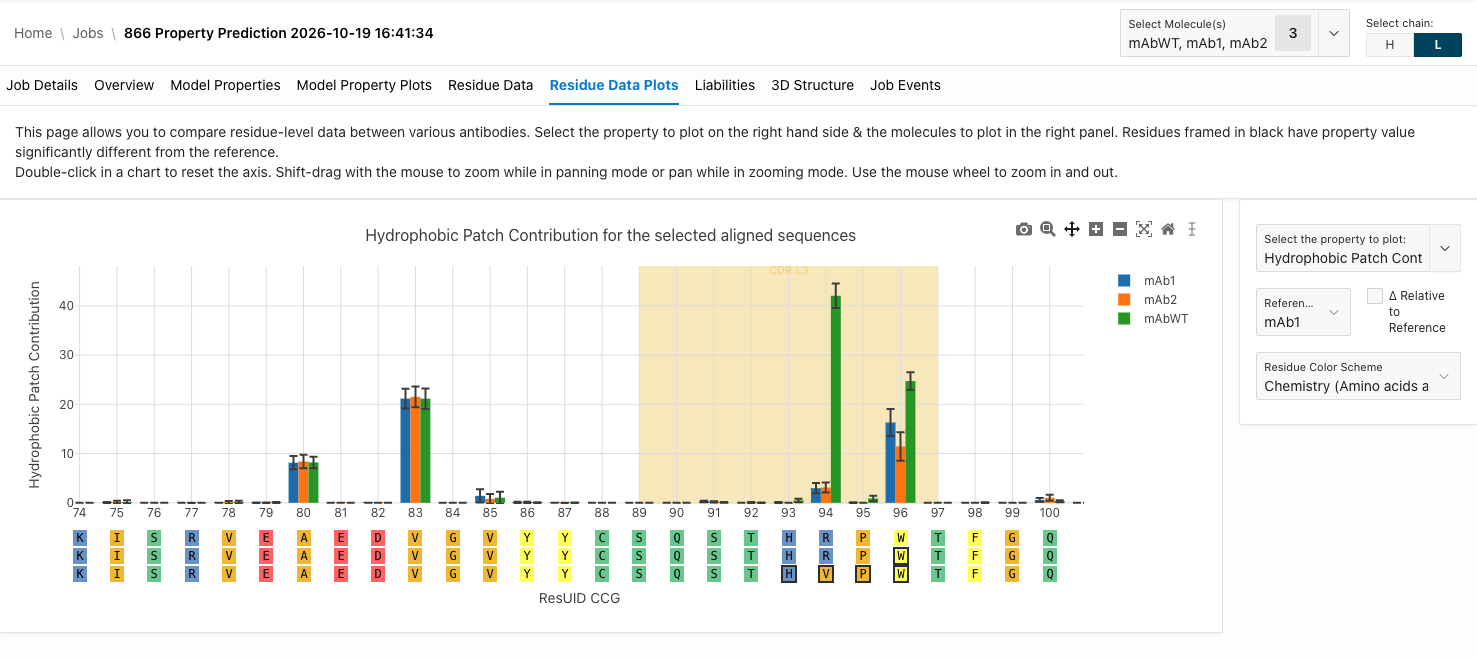
3dpredict/Ab already calculated 95% confidence intervals for the whole protein properties. These are now captured for residue properties as well and shown as error bars on the residue plots, which you can toggle on and off. The plots themselves are now fully interactive, so you can zoom into the region you are interested in.
In the example below, the Residue Data Plots tab compares the hydrophobic patch contribution of three antibodies on the light chain, with the CDR L3 region highlighted.
3: Separate annotation & numbering schemes
The job submission dialog now has two separate options instead of a single combined one:
- Annotation Scheme defines the CDR ranges: IMGT, CCG, Kabat, Aho, Chothia or North
- Numbering Scheme defines how residues are numbered in the tables & the structure: the same schemes, their Fv variants, or sequential numbering
For jobs submitted from structures you can also choose Original to keep the residue numbering of your input file, particularly useful when submitting PDB or cif files with already numbered molecules.
4: Job submission defaults for your organisation
Power users can now set the default job submission parameters for all users of their organisation: the antibody formats available for submission and the default one, the annotation and numbering schemes, pH, salt type, salt concentration and the residue color scheme. Users can still change these values for each job they submit.
5: Approval of large jobs
Power users can set a maximum number of credits per job. If a user submits a job costing more than that, it is not started right away but sent to the power users for approval. They review it on the Job Submission Approvals page and approve or reject it. If the job is rejected, all of its credits are refunded.
6: Liabilities & custom properties
- Power users can define organisation-specific cutoffs for the exposure of each liability on the Residue Liability Cutoffs page. This controls which liabilities are listed in the Liabilities tab of your jobs.
- All residue properties are now available in the Liabilities table. They are hidden by default and you can add them as columns.
- Custom calculated properties can now use residue properties as well as the molecule ID and format.
7: Edit molecules after submission
In the job edit dialog you can now also rename the molecules of a job. For jobs submitted from structures you can change the antibody format of a molecule, among the formats with a similar molecular weight.
8: REST API
- New
jobs/sequenceSearchendpoint: find the jobs and molecules containing a chain similar to a query sequence, with BLAST-like identity, coverage and E-value filters. - The
jobsendpoint can now be filtered by format, number of molecules and molecule names, and returns the URL of the job results page. - Properties now come with their unit.
Other improvements
- Molecule Class is renamed Format throughout the application, and Global Properties is renamed Model Properties.
- For jobs submitted from structures, the cost now depends on the molecular weight of each structure.
- A Copy Page URL button on the results page copies a direct link to the job results, the same link as in the job completion e-mail.
- Numerical results are displayed with a consistent precision in the application and the REST API.
- The results page now handles selections of several hundred molecules.
- The duplicate check at job submission now ignores molecules from failed or cancelled jobs.
- Several security improvements.