In this tutorial you will learn how to use the Molecule input type to send a molecule in CTAB format to a parameter.
The use case is the following: search molecules by substructures in datasets and add chosen ones to a data table in Spotfire.
Create protocol in Pipeline Pilot
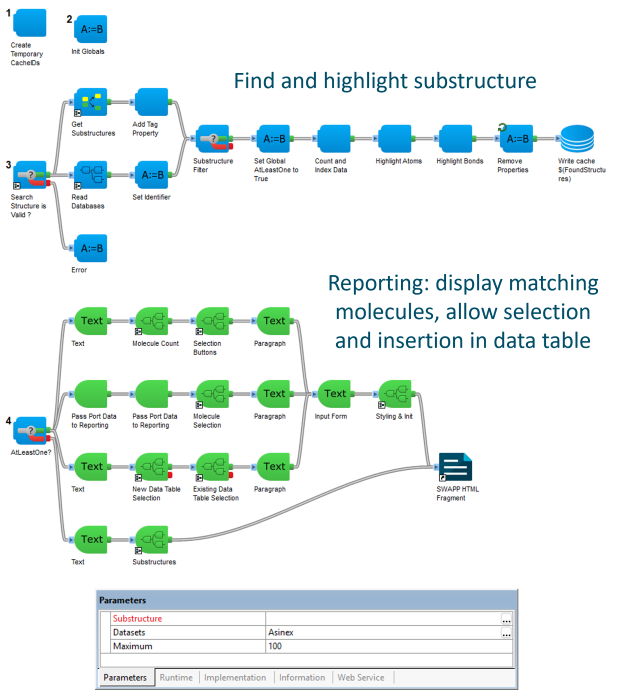
For this tutorial the main protocol will be the example protocol "Substructure Search" located under Protocols/Discngine/Spotfire Enabled Protocols/Client Automation/SWAPP Examples/Substructure Search.
This protocol searches for molecules by substructure across one or several reference datasets and lets you add some matching molecules to a data table in Spotfire based on user selection. It takes three parameters:
Substructure, the searched substructure, in CTAB format.Datasets, the list of datasets to search in.Maximum, the maximum number of molecules to read per dataset.
Register protocol in the SWAPP
-
Open the registration form
- Open Spotfire and the SWAPP.
- Click on the icon in the SWAPP menu and click "+ Register new Protocol".
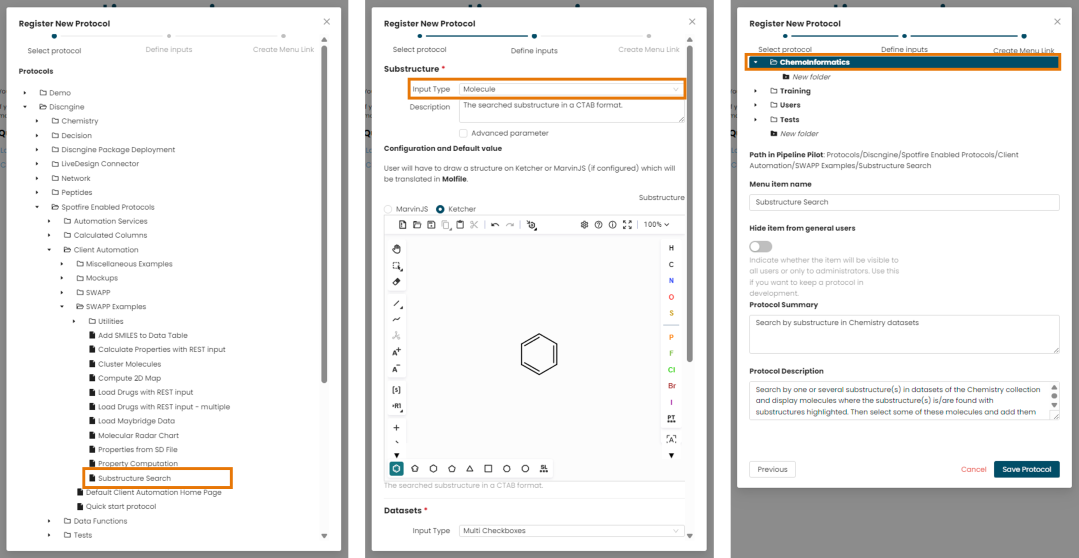
- Browse the tree of Pipeline Pilot protocols and select the example protocol "Substructure Search" under
Discngine/Spotfire Enabled Protocols/Client Automation/SWAPP Examples.
-
Define the inputs
- Keep the Molecule input type for the
Substructureparameter (preconfigured because it is TextType and contains "structure" in its name). - Select Ketcher (the option is visible only if MarvinJS has been configured on the Pipeline Pilot server).
- Optionally set a default value like a benzene ring.
- When launching the protocol, the drawn structure will be sent as CTAB to the parameter.
- Leave the other parameters (
Datasets,Maximum) with their automatically guessed input types. - Click on "Next".
- Keep the Molecule input type for the
-
Create the menu item
- Select a folder in the menu.
- Click on "Save Protocol".
See the Register a protocol tutorial for more details on the registration process.
Test protocol in the SWAPP
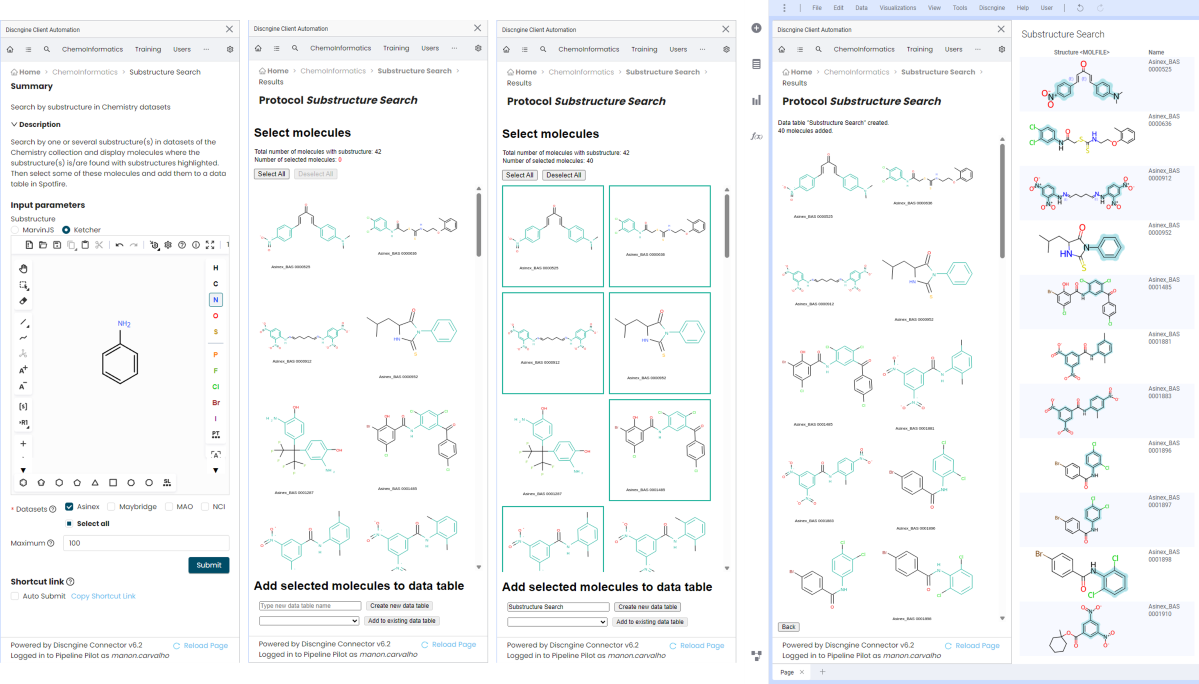
- Select the "Substructure Search" protocol in the SWAPP menu.
- Draw a substructure query in the Molecule field, for example an aniline.
- Select one or several datasets to search in.
- Click on "Submit".
- The matching molecules should be displayed, with the searched substructure highlighted on each one.
- Select the molecules you want to keep.
- Add them to a new data table in Spotfire.